
For dedicated students, the 20-20-20 rule often feels like a bandage on a bigger problem because its simple execution ignores the real mechanics of eye strain.
- Your eye’s focusing muscle can get physically “stuck” from prolonged near work, a state called accommodative lock.
- Common “break” activities, like checking your phone, actually increase eye strain rather than relieve it.
Recommendation: Upgrade from a simple timer to a holistic habit system that includes active relaxation techniques, environmental cues, and proper ergonomics to build true visual endurance.
If you’re an adult student, you’ve likely felt that creeping worry. The long hours staring at textbooks and screens, the feeling that your glasses prescription gets a little stronger each year, and the nagging sense that the standard advice—the 20-20-20 rule—just isn’t cutting it. You follow the rule, you set the timers, but the eye strain, headaches, and fear of worsening myopia remain. You’re told to take breaks, but what does a “good” break even look like?
The common advice focuses on what to do, but rarely explains *why* it works or, more importantly, why it so often fails. The problem isn’t the rule itself. The problem is that we treat it like a simple reminder rather than what it needs to be: a foundational part of a robust system for visual endurance. We’ve been taught to manage time, but we haven’t been taught how to manage our focus, our environment, or the very muscles inside our eyes.
But what if the key wasn’t just remembering to look away, but fundamentally changing *how* you look away, *what* you look at, and *how* your environment can do the reminding for you? This guide moves beyond the platitudes. We will deconstruct the mechanics of eye strain, expose the common mistakes that sabotage your efforts, and provide a toolkit of advanced, practical strategies. You’ll learn how to transform the 20-20-20 rule from a flimsy suggestion into a powerful, integrated habit that protects your vision for the long haul.
This article provides a structured path to upgrade your visual habits. Explore the sections below to understand the science, learn practical techniques, and build a system that truly supports your eyes during intense periods of study.
Summary: Upgrading the 20-20-20 Rule for Lasting Vision Health
- Why Focusing Close for Too Long Locks Your Focus Muscle?
- How to Use Smart Home Lights to Trigger Your 20-20-20 Breaks?
- Looking Out a Window or Closing Eyes: Which Relaxes Muscles Better?
- The Error of Checking Your Phone During Your “Eye Break”
- Problem & Solution: Finding a 20-Foot Target in a Small Cubicle
- How to Gamify Eye Breaks so Children Actually Follow Them?
- How to Adjust Screen Brightness to Match Ambient Light Perfectly?
- How to Train Your Neck for Computer Work With Progressive Lenses?
Why Focusing Close for Too Long Locks Your Focus Muscle?
That feeling of blurry vision after hours of studying isn’t just “tired eyes.” It’s a physiological event known as an accommodative lock or spasm. Think of the ciliary muscle in your eye like any other muscle in your body. If you hold a bicep curl for hours, your arm will eventually cramp and struggle to straighten out. The ciliary muscle, responsible for changing your lens shape to focus on near objects, behaves similarly.
When you’re buried in a book, this muscle is in a state of constant contraction. Over time, this sustained effort leads to several issues that compound the problem. Firstly, staring at a screen is known to reduce your blink rate by as much as 60%, which compromises the tear film that keeps your eye’s surface smooth and optically clear. Secondly, the prolonged muscle contraction can cause oxidative stress by reducing blood flow and oxygen to the ocular tissues. This creates a neurological habit loop where the brain and muscle get so used to the “near” signal that the muscle fails to fully relax when you finally look up.
This loss of flexibility is what eye care professionals call a loss of accommodative facility. Your eye’s focusing system essentially gets “stuck” in near gear. Understanding this mechanism is the first step to realizing why a passive, half-hearted break isn’t enough. You don’t just need to stop the strain; you need to actively encourage the muscle to unlock and relax.
This is why building true visual endurance requires strategies that actively counteract the accommodative lock, rather than just pausing the activity that causes it.
How to Use Smart Home Lights to Trigger Your 20-20-20 Breaks?
One of the biggest failures of the 20-20-20 rule is relying on willpower or a jarring alarm to remember your breaks. As a student in deep focus, it’s all too easy to ignore a notification. A far more effective approach is to build the cue directly into your environment using smart lighting. This is a core principle of habit architecture: make the desired behavior the path of least resistance.
Instead of an audible alarm, you can program your desk lamp or room lights to act as a gentle, un-ignorable visual trigger. This method is less disruptive than a sound and works on a subconscious level. For instance, you can set up a routine where your light’s color temperature automatically shifts. A cool, blue-toned light (around 5000K) is great for focus, but programming it to transition to a warm, soft yellow (around 3000K) every 20 minutes serves as a calming signal that it’s time to look away.
You can get even more sophisticated. Create a “Break Mode” scene in your smart home app. At the 20-minute mark, this scene could dim your main work lights and simultaneously turn on or brighten a different light aimed at a distant wall or object at least 15-20 feet away. This not only cues your break but also automatically guides your gaze to the correct distance. Using a smart bulb that slowly shifts color over the 20-minute work interval, like from blue to green, can also act as a visual progress bar, preparing you mentally for the upcoming break.
By outsourcing the reminder to your environment, you conserve mental energy and make adherence to your break schedule nearly effortless.
Looking Out a Window or Closing Eyes: Which Relaxes Muscles Better?
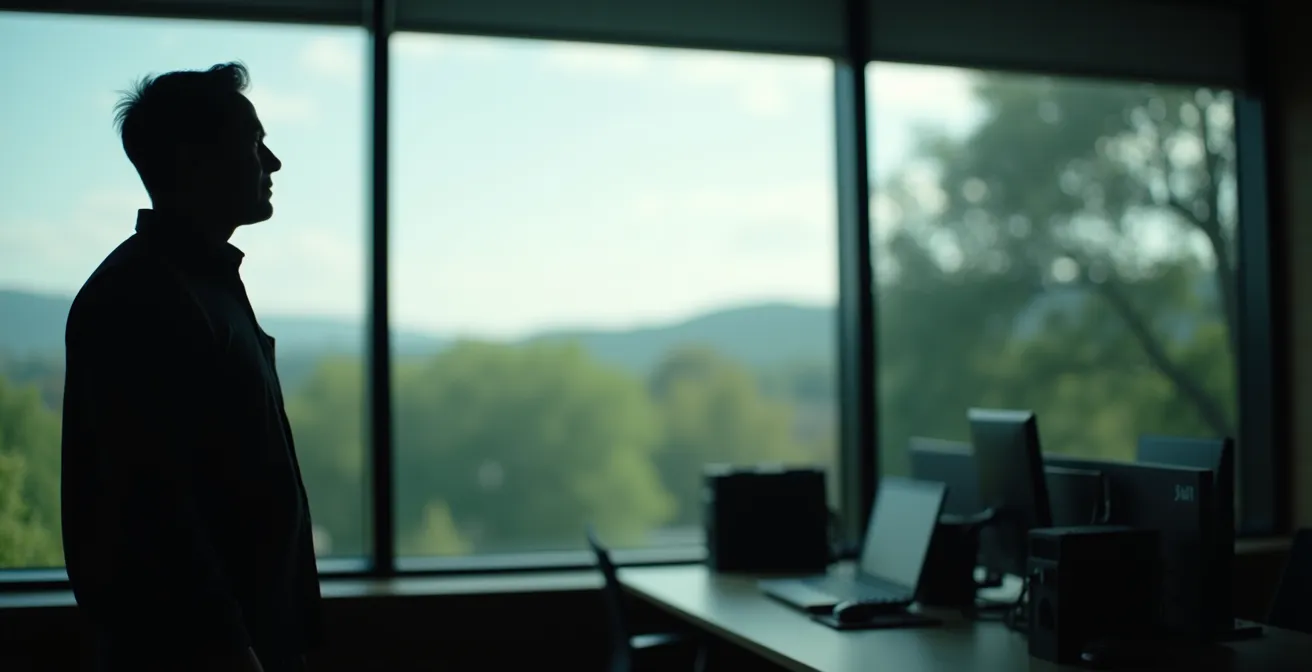
The instruction to “look at something 20 feet away” is very specific for a scientific reason. It’s about achieving a state of zero focusing effort. Simply closing your eyes rests your photoreceptors from light, but it doesn’t guarantee your ciliary muscle will fully relax. Looking out a window at a distant object, however, forces the muscle to do so. In fact, optometric research confirms that looking at objects 20 feet (or 6 meters) away requires virtually zero diopters of accommodation—the clinical term for focusing power. This is the eye’s true “neutral” or resting state.
This is why a view of a distant scene is far superior to just closing your eyes or staring at a nearby wall. The latter might feel like a break, but it doesn’t release the accommodative lock. But we can do even better than just passively gazing. To truly restore flexibility, you should practice active dynamic relaxation. This is like physical therapy for your eyes.
Instead of just staring into the distance for 20 seconds, you actively switch your focus. A simple technique is “tromboning”: hold a pen about 6 inches from your face, focus on it for 10 seconds until it’s perfectly clear, then immediately shift your focus to a target 20 feet or more away for another 10 seconds. Repeat this near-far switch 3-4 times. This exercise actively works the ciliary muscle through its full range of motion, improving its flexibility and responsiveness much more effectively than passive staring.
Think of it as the difference between just standing up to stretch versus performing a full range of dynamic stretches. One provides minimal relief, while the other restores function.
The Error of Checking Your Phone During Your “Eye Break”
This is perhaps the most common and damaging mistake students make. You’ve been staring at your laptop for an hour, and you take a “break” by picking up your phone to check messages or scroll through social media. You might feel like you’re resting, but you’re actually making the problem worse. The focusing demand of a phone is significantly higher than that of a computer screen.
Your computer monitor is typically 20-24 inches away, requiring about 2 diopters of focusing power. Your phone, however, is held much closer, usually at 12-14 inches. Because of this proximity, studies show that smartphone use demands approximately 50% more accommodative effort from your ciliary muscle. Switching from your laptop to your phone isn’t a break; it’s like switching from lifting a 20-pound weight to a 30-pound one. You’re increasing the focal demand, not eliminating it.
To make your breaks truly restorative, the phone must be off-limits. A better alternative is a structured 60-second break protocol that combines eye rest with other ergonomic benefits:
- Seconds 0-20: Perform the core task. Focus on a distant object over 20 feet away to fully relax the ciliary muscle.
- Seconds 20-40: Introduce active focus switching. Perform the “tromboning” exercise mentioned earlier, shifting between a near and far target.
- Seconds 40-60: Address related strain. Do gentle neck stretches and shoulder rolls to combat the “tech neck” that often accompanies computer work.
A simple tip is to physically place your phone in a drawer or face-down across the room during your study blocks. Removing the temptation is the most effective way to ensure your break is genuinely restorative.
This disciplined approach ensures your 20 seconds (or more) of break time are spent in recovery, not in compounding the strain.
Problem & Solution: Finding a 20-Foot Target in a Small Cubicle
“That’s great,” you might think, “but my study space is a tiny dorm room or a cubicle facing a blank wall.” This is a common and valid hurdle. When a 20-foot view isn’t available, you need creative solutions that simulate optical distance. The goal is to make your eyes focus as if they are looking far away, even if they physically aren’t.
Here are some science-backed hacks for small spaces:
- The Mirror Principle: This is the most effective solution. Place a small mirror on a wall about 10 feet away from you. When you look at your reflection in the mirror, the light has traveled 10 feet to the mirror and 10 feet back, creating a 20-foot optical distance for your eyes.
- The Relative Far-Point: Perfection shouldn’t be the enemy of good. While 20 feet is the ideal for zero accommodation, any significant shift is beneficial. Eye care professionals note that even shifting your gaze from your 24-inch screen to a wall 10 feet away provides the majority of the muscle relaxation benefit.
- The Low-Plus Lens Hack: This is a more advanced trick. You can buy a pair of very weak, over-the-counter reading glasses (e.g., +0.50). Looking at a detailed landscape photograph on a wall 6 feet away through these lenses can simulate looking at optical infinity, as the lenses help relax your focus.
- The Depth Illusion Target: A flat picture is better than nothing, but a target with perceived depth is better. Using a lenticular 3D image (the kind that seems to move as you shift your head) or a small diorama can help engage your depth perception more effectively than a simple poster.
Office Worker Adaptation Strategies
Eye care professionals consistently report that office workers in confined spaces find effective ways to adapt the rule. Many utilize brief walks down a hallway to gaze at a distant fire extinguisher or window at the end of the corridor. Studies on this topic suggest that while the precise 20-foot distance is optimal, any action that significantly increases the viewing distance from the close-up computer screen is effective in helping to reduce overall eye strain.
Your ability to protect your vision shouldn’t be limited by the size of your room; it’s about applying the right optical principles.
How to Gamify Eye Breaks so Children Actually Follow Them?
Getting adults to take eye breaks is hard enough; getting children to do so can feel impossible. Children are less likely to notice the subtle onset of eye strain, and their immersion in games or videos is often total. This is why a simple timer is almost guaranteed to fail. For kids, the solution lies in gamification—turning the break itself into a fun, engaging micro-game.
The key is to frame the break not as an interruption, but as part of the play. Instead of “time for a break,” the trigger could be “Alert! New mission!” This reframes the entire experience from a chore to a challenge. For example, research indicates that children require external motivation for eye breaks since they don’t perceive the strain as readily as adults. Gamified activities provide that essential motivation.
Here are some proven gamified break ideas:
- Story-Based Missions: The 20-second timer becomes a mission clock. “Quick! Find and name three red objects outside the window before the timer runs out!”
- Progressive Scavenger Hunts: Make it a multi-level game. The first break is “find something green.” The next is “find something that’s moving.” The one after is “find a triangle shape in the clouds or on a building.”
- Game-Linked Challenges: Bridge the digital and physical worlds. If they’re playing a game with a character wearing blue, the break challenge is to find three real-world objects that match that exact shade of blue.

For a powerful incentive, you can even link a timer app to a physical reward system. When the child successfully completes their 20-second “eye mission,” the app could provide a code that unlocks a small physical box containing a sticker or a small toy. This creates a powerful feedback loop that makes them look forward to their breaks.
For children, the path to healthy habits is paved with play, not with rules.
How to Adjust Screen Brightness to Match Ambient Light Perfectly?
Building visual endurance isn’t just about taking breaks; it’s also about reducing the baseline strain during your work periods. One of the biggest culprits of eye fatigue is a mismatch between your screen’s brightness and the ambient light in your room. A screen that’s too bright in a dark room is like staring into a lightbulb, causing glare and fatigue. A screen that’s too dim in a bright room forces you to squint and strain.
The goal is for the white on your screen to have roughly the same brightness as a white piece of paper held up next to it. While you can eyeball this, a more scientific approach provides better results. You can use a free light meter app on your phone to measure your room’s ambient light in “lux,” and then use a conversion guide to set your monitor’s brightness, which is measured in “nits” or “cd/m²”.
This table provides a professional reference for matching your monitor’s brightness to your environment.
| Ambient Light (Lux) | Recommended Monitor Brightness (cd/m²) | Environment Type |
|---|---|---|
| 50-150 | 80-120 | Dim indoor lighting |
| 200-400 | 120-160 | Typical office lighting |
| 500-750 | 140-200 | Bright office/near window |
| 1000+ | 200-300 | Direct sunlight exposure |
Beyond brightness, you should also match the color temperature. A “daylight” setting (around 6500K) is fine for a bright, sunlit room, but in the evening, you should shift to a warmer temperature (under 3000K) to reduce blue light exposure and minimize eye strain. An often-overlooked pro tip is to install bias lighting—an LED strip behind your monitor—which illuminates the wall behind the screen and reduces the harsh contrast between the bright display and the dark background.
Your Action Plan: Professional Screen Calibration
- Point of Contact: Download a light meter app on your smartphone to measure the ambient light (in lux) at your workspace.
- Collect Data: Use the conversion chart above to find the target brightness range (in cd/m² or nits) for your monitor’s settings.
- Check for Coherence: Calibrate your screen using a white reference. Hold a blank white piece of paper next to your screen; adjust the brightness until both appear to have a similar level of luminosity.
- Assess Color Temperature: Adjust your screen’s color temperature to match the time of day. Aim for 6500K for bright daylight, under 4000K for typical indoor light, and below 3000K for evening work.
- Plan for Integration: Consider installing bias lighting (an LED strip) behind your monitor to soften the contrast between the screen and the wall, further reducing strain.
This single adjustment can dramatically reduce the background level of strain your eyes endure during long study sessions.
Key Takeaways
- The 20-20-20 rule fails when it’s just a timer; success comes from building a system of habits.
- Active relaxation (focus-switching) is far more effective at releasing your eye’s focus muscle than passive resting.
- Your environment is a powerful tool: use smart lighting and creative setups to automate breaks and overcome space limitations.
How to Train Your Neck for Computer Work With Progressive Lenses?
For students who wear progressive lenses, computer work presents a unique and significant ergonomic challenge. These lenses are designed with different zones for distance, intermediate, and near vision. To see your computer screen clearly, you must look through the narrow intermediate corridor of the lens. This often forces you into an unnatural, chin-up posture to find the “sweet spot,” leading to significant neck and shoulder pain.
The scale of this problem is vast; a 2020 study found that over 74% of progressive lens wearers experience computer vision syndrome, and maintaining a non-neutral neck posture increases this risk more than threefold. This isn’t just a comfort issue; it’s a direct path to chronic pain and can exacerbate eye strain. The solution requires a two-pronged approach: adjusting your setup and training your neck.
First, traditional ergonomic advice must be reversed. Instead of placing your monitor at eye level, you should lower it significantly, almost to the surface of your desk. Then, tilt the screen upward by about 15-20 degrees. This setup allows you to look down through the correct part of your lenses while keeping your neck in a neutral, relaxed position. For those spending many hours at the computer, investing in computer-specific progressive lenses, which feature a much larger intermediate zone, can be a life-changing decision.
Second, you must actively counteract the strain with targeted exercises. The most important is the chin tuck. Throughout the day, gently pull your chin straight back as if you’re making a double chin (without tilting your head down). Hold for 5 seconds and repeat 10 times every hour. You can also use a tennis ball to perform a suboccipital release by placing it at the base of your skull while lying down and applying gentle pressure for 30-60 seconds to relieve tension.
By creating a setup that works with your lenses, not against them, you can finally study in comfort and protect both your eyes and your posture. Start building your visual endurance today by choosing just one of these strategies to integrate into your workflow.